VPS 4GB
Start small with reliable VPS performance.
Special PriceSave 50%
Renews at $19.99/month
Core Resources
- 2 vCPU
- 4 GB RAM
- 80 GB SSD Storage
- Unmetered Transfer
Deploy Now
30-day money back guarantee!


Magento VPS Hosting
Magento needs more than shared hosting can give it. Magento VPS hosting from GreenGeeks gives your store dedicated RAM and full root access, starting with the 8 GB plan for a live store.





| Plan | Best for | Why |
|---|---|---|
| 8 GB RAM, $19.99/month | A live store with up to about 25,000 products | 4 vCPU, 160 GB SSD, room for search and PHP |
| 16 GB RAM, $39.99/month | Several store views or larger catalogs | 8 vCPU, 320 GB SSD and more memory as the cache grows |
The 4 GB plan is too small. Elasticsearch and MariaDB need their own memory, and Adobe recommends 2 GB for PHP alone. The 25,000 figure is our estimate, based on Adobe's Medium test store with 24,000 products.
Full root access, guaranteed resources, and unmetered transfer — you take control.
Start small with reliable VPS performance.
Renews at $19.99/month
Core Resources
30-day money back guarantee!
Scale up apps, databases, and containers.
Renews at $39.99/month
Core Resources
30-day money back guarantee!
Run production workloads with more resources.
Renews at $79.99/month
Core Resources
30-day money back guarantee!
High-capacity VPS for demanding applications.
Renews at $109.99/month
Core Resources
30-day money back guarantee!
Magento 2.4.8 supports PHP 8.4 and MariaDB 11.4. With root access, you install the exact versions your release needs. Magento 2.4.9 requires PHP 8.5.
Magento 2.4.8 works with Elasticsearch 8, which runs on GreenGeeks VPS once you set it up. Adobe is phasing out Elasticsearch in favor of OpenSearch, and with root access you can run either one.
Magento updates its search indexes and sends emails through cron. The bin/magento cron:install command adds a job that runs every minute, and GreenGeeks VPS allows that. Adobe says some core features break without it.
You install and upgrade Magento with Composer. With root SSH on GreenGeeks VPS, you install Composer and Git yourself and run bin/magento commands straight from the command line.
Once cron is running, log in to the Admin panel with two-factor authentication.
| GreenGeeks VPS | Shared hosting | Adobe Commerce Cloud | |
|---|---|---|---|
| License | Open Source is free | Open Source is free | Priced by your sales, price not public |
| Search engine | Elasticsearch 8, which you set up yourself | Usually not available | Provided by Adobe |
| Cron and command line | Cron every minute, root SSH | Limited cron, SSH often blocked | Handled by the platform |
| Full-page cache | Magento's built-in cache, or Varnish you set up yourself | Magento's built-in cache | Fastly |
| B2B and content staging | Not in Open Source | Not in Open Source | Included |
GreenGeeks VPS fits Open Source stores that want full control, from the operating system up. Commerce Cloud fits large merchants who need B2B tools and content staging.
Magento VPS hosting puts a Magento store and everything it depends on onto a virtual server of its own. A working store needs PHP, MariaDB or MySQL, a search engine such as Elasticsearch, and a cron job that runs every minute. Shared hosting rarely allows all of that, since the search engine runs as its own service and the Magento CLI needs SSH. A self-managed GreenGeeks VPS gives you full root access, so you keep the operating system patched and install Magento and its search engine at the versions your release needs.
Magento 2.4.9 needs PHP 8.5, and this page covers 2.4.8. Its latest patch, 2.4.8-p5, needs PHP 8.4 or 8.3, Composer 2.10, MariaDB 11.4 or 11.8, and Elasticsearch 8 or OpenSearch 3. Adobe's newest requirement tables list nginx as the web server, and they only list Apache 2.4 up to 2.4.8-p2. With root access on a self-managed VPS, you choose the web server and install the versions on that list yourself. Upgrades and extension installs can use up to 2 GB of RAM on their own.
Yes, for most stores, as long as the server has enough RAM, which means the 8 GB plan or larger. The search engine is the hungriest part. Unless you set a limit, Elasticsearch decides how much memory to take from the server's total RAM, and Elastic advises no more than half. On a server shared with Magento, set that limit yourself and leave room for PHP and MariaDB, and keep ports 9200 and 9300 closed to the outside. You don't need Varnish either, since Magento's built-in full-page cache can do that job in its place.
Use Composer, since Adobe's own install guide runs on it and every Magento upgrade does too. You create access keys in your Commerce Marketplace account, then run composer create-project against repo.magento.com. When Composer asks, the public key is the username and the private key is the password, or you can store both in auth.json. Open Source uses the magento/project-community-edition package. A one-click installer may ship an older release, so check its version first. Before setup:install, give the web server group write access to var, generated, vendor, pub/static, pub/media and app/etc.
GreenGeeks leaves backups on a self-managed VPS to you, so plan the store's backups before launch. Dump the database nightly and before every upgrade with mysqldump --single-transaction, which copies InnoDB tables without locking the store, and keep pub/media and app/etc/env.php with it. Copy each backup off the server, for example to Google Drive. Then lock the store down. Keep the search engine on localhost, change the Admin URL from "admin", keep 2FA on and apply Adobe's security patches when they come out.
Magento Open Source is free and covers most stores, while Adobe Commerce adds paid features for larger merchants. Commerce-only features include content staging, Live Search with Product Recommendations, and the B2B tools for company accounts, shared catalogs, quotes and purchase orders. Page Builder isn't one of them. Open Source has included it since 2.4.3, which came out in 2021. Both use the same code and install the same way with Composer. The Commerce package is magento/project-enterprise-edition. Adobe Commerce Cloud uses Fastly for its page cache.
Plan on 8 GB for a live store and 16 GB for several store views or a larger catalog. Several programs share that memory. Elasticsearch needs its own heap, Adobe recommends 2 GB of memory for PHP on a single server, and MariaDB wants RAM close to half the size of your database. The cache grows with the number of products multiplied by the number of store views. Adobe's Medium test store has 24,000 products, and its Large one has 300,000. A store near the Large size outgrows the 16 GB plan.
A live Magento store on GreenGeeks VPS starts with the 8 GB plan at $19.99 a month, renewing at $39.99, which runs PHP, MariaDB and Elasticsearch together on one server. Magento Open Source has no license fee under the Open Software License 3.0, so the rest of the cost is paid extensions and development work. That license covers the whole Open Source codebase, Page Builder included. Adobe Commerce is priced another way. Adobe licenses it by your yearly sales and average order value under a negotiated contract and doesn't publish the price.
On a self-managed VPS, you rebuild the store on the new server yourself, and it works only if the code, database, media and encryption key all come across. Rebuild the code from composer.json and composer.lock, import a database dump and copy pub/media. Copy app/etc/env.php too, since it stores the key that decrypts saved payment passwords. Then update the base URLs, run bin/magento cron:install and match PHP and the search engine to your release. Test checkout before you move DNS.
GreenGeeks looks after the hardware and network. A self-managed VPS gives you full root access, so OS updates, security patches, the store, its extensions, the search engine and every upgrade stay with you. Upgrades run through Composer. You turn on maintenance mode, remove cron, run composer require-commerce and composer update, then setup:upgrade. Adobe's lifecycle page sets the deadlines. Version 2.4.6 lost standard support on August 11, 2026, and 2.4.8 is covered until May 31, 2028. Moving to 2.4.9 means PHP 8.5, so plan that PHP upgrade before then.
Start a live store on the 8 GB plan, backed by a 30-day money-back guarantee.
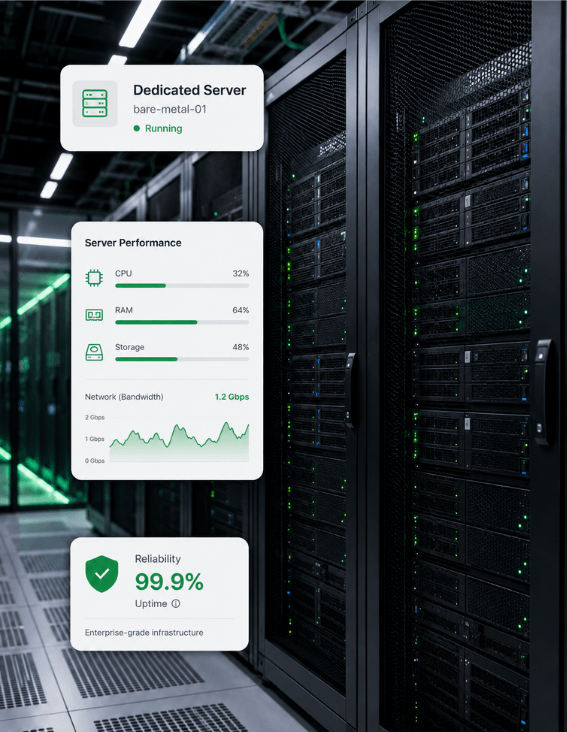
Room for about 25,000 products on the 8 GB plan.
PHP, MariaDB and Elasticsearch together on one server.
Cron every minute and root SSH for bin/magento.
300% renewable energy match on every VPS.