VPS 4GB
Start small with reliable VPS performance.
Special PriceSave 50%
Renews at $19.99/month
Core Resources
- 2 vCPU
- 4 GB RAM
- 80 GB SSD Storage
- Unmetered Transfer
Deploy Now
30-day money back guarantee!


Django VPS Hosting
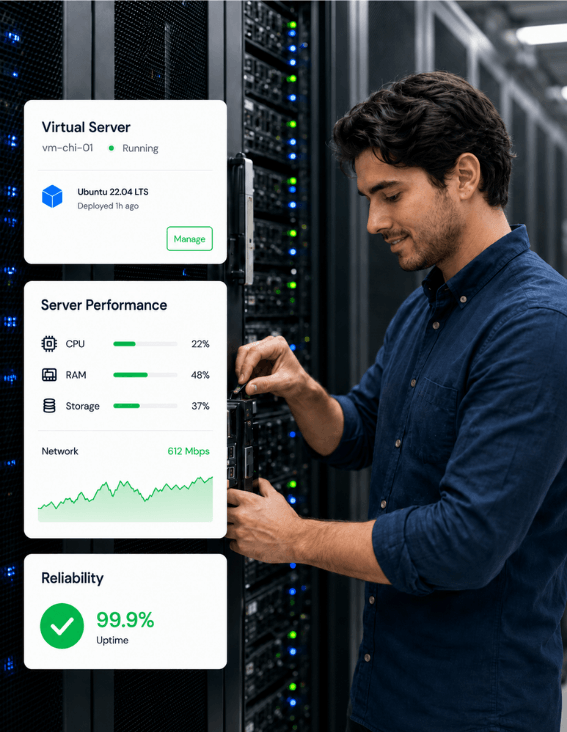
Django hosting on GreenGeeks VPS gives your app a server that doesn't go to sleep when traffic is slow. Python, MariaDB and your background workers all run together, and root access lets you deploy your way.





AlmaLinux 9 comes with Python 3.9, but Django 6.0 and 6.1 need Python 3.12 or newer. Install python3.12 with dnf and build your virtualenv on it.
MariaDB 11.4 is the default database, and Django 6.1 only needs 10.11 or newer. PostgreSQL is only available as version 9.6, which is too old for any supported Django.
Background workers are just more processes on your server. Celery runs as its own systemd service, with Redis holding the job queue. You install and set up Redis yourself.
The collectstatic command gathers your CSS, JavaScript and images into STATIC_ROOT. Apache 2.4 then serves them straight from disk, much faster than Django can. Files your users upload go in MEDIA_ROOT on the same server.
Gunicorn's guide suggests 2 workers per CPU core plus 1, so more cores mean more workers. If your app outgrows its plan, open a support ticket and GreenGeeks upgrades the VPS to a bigger plan online.
Start small with reliable VPS performance.
Renews at $19.99/month
Core Resources
30-day money back guarantee!
Scale up apps, databases, and containers.
Renews at $39.99/month
Core Resources
30-day money back guarantee!
Run production workloads with more resources.
Renews at $79.99/month
Core Resources
30-day money back guarantee!
High-capacity VPS for demanding applications.
Renews at $109.99/month
Core Resources
30-day money back guarantee!
Only Apache faces the internet, on ports 80 and 443.

| Three ways to host a Django app | GreenGeeks VPS | Shared hosting | A PaaS like Render |
|---|---|---|---|
| Python and Django versions | Python 3.12 from dnf, any Django | Only the Python versions the host offers | Whatever the platform supports |
| Database | MariaDB 11.4 on the same server | Whatever the panel offers | Separate add-on, from $6 a month |
| Celery workers | As many as RAM allows | Usually not allowed to run in the background | Each worker billed separately |
| When traffic stops | Stays on | Stays on, with shared CPU | Free tier sleeps after 15 minutes |
| Monthly bill | From $69.95 a month, flat | Cheapest, but you hit limits early | Per service, such as $85 a month for a 4 GB web service |
| Upkeep | The managed team keeps AlmaLinux patched, and you deploy the app | The host covers the OS, not Django | The platform handles the OS, HTTPS and deploys |
A PaaS gets a first deploy live faster. GreenGeeks VPS puts MariaDB, Redis and Celery on one flat bill, and GreenGeeks keeps the OS patched.
Everything you need to know about hosting Django on GreenGeeks VPS.
A Django VPS is a server that runs your app with production tools in place of runserver, which Django's own docs say isn't suitable for production. On GreenGeeks VPS that means Gunicorn running the app under systemd, Apache 2.4 in front for HTTPS and static files, and MariaDB 11.4 on the same machine. You choose the Python version, the database and background workers like Celery, and they all share one server. The managed team keeps the operating system patched and monitored. Your code, your virtualenv and your Django upgrades are up to you.
Size by your app server workers, your database and any Celery jobs. Gunicorn's rule is 2 workers per CPU core plus 1, and its docs add that 4 to 12 workers usually handle heavy traffic. The 4 GB plan has 4 vCPU cores and fits one app with MariaDB. The 8 GB plan has 6 cores and adds room for Celery and Redis. The 16 GB plan suits WebSockets or several apps on one server. By default, Celery starts one worker process per CPU core, so lower that when your web workers share the same cores.
One app with MariaDB fits the 4 GB plan at $69.95 a month, and Django itself is free under its BSD license. MariaDB, Redis and your Celery workers all go on that one bill, however many of them you run. A PaaS prices each piece separately. On Render, a 4 GB web service is $85 a month, and Postgres starts at $6 a month for 256 MB of RAM. Each background worker is its own billed service there too. Render's free web service sleeps after 15 minutes without traffic, and its free Postgres databases expire after 30 days.
Use Gunicorn on its own for standard synchronous Django, and add Uvicorn when you serve async views over ASGI. For ASGI, Django's docs run Gunicorn with the Uvicorn worker class, gunicorn myproject.asgi:application -k uvicorn_worker.UvicornWorker, so Gunicorn still handles process monitoring and restarts. On GreenGeeks VPS you start it with systemd, with Apache in front. If your project uses Django Channels for WebSockets, Daphne is the official server, and you run about one Daphne process per CPU. In every case, Apache stays in front and handles HTTPS.
MEDIA_ROOT comes first, because Django can't rebuild the files your users upload. Add a nightly mysqldump with --single-transaction, which copies MariaDB without locking the app. Keep your env file with it, since SECRET_KEY lives there. Skip STATIC_ROOT, since collectstatic rebuilds it, and your code already lives in git. GreenGeeks doesn't keep backups of your VPS, so schedule the job with cron and send each copy off the server, to Amazon S3 for example. Then test a restore into a scratch database.
Django needs Python, an app server and a database, and their versions have to line up. Django 6.0 and 6.1 need Python 3.12 or newer, while Django 5.2 LTS runs on 3.10 through 3.14. AlmaLinux 9 ships Python 3.9 as its system Python, which no supported Django accepts, so install python3.12 with dnf. For the database, Django 6.1 needs MariaDB 10.11 or newer, and GreenGeeks VPS runs 11.4. PostgreSQL on GreenGeeks VPS is version 9.6, and Django 6.1 needs 15 or newer, so use MariaDB or SQLite.
Yes, and there's no fixed limit. It depends on the plan's size, each site's traffic and whatever else runs on the server. Give each project its own virtualenv, its own Gunicorn service and its own Apache site config, so a crash or upgrade in one doesn't touch the others. Each can have its own MariaDB database and user, created in cPanel. Every app's workers share the same 4 to 6 vCPU cores, though. Gunicorn's 2-per-core rule applies to each app, so start lower when several apps run side by side.
Run it the way Gunicorn's own deploy guide does, with Gunicorn under systemd and a web server in front. Docker isn't available on GreenGeeks VPS, so container tools like Coolify and Dokku are out. Build a virtualenv on Python 3.12 and pip install gunicorn with your requirements. A systemd unit starts Gunicorn on 127.0.0.1:8000 with 2 workers per core plus 1. Apache 2.4 is the reverse proxy. It passes requests to Gunicorn through a proxy config you write and serves STATIC_ROOT itself. Celery gets a second systemd unit.
Your code moves over with git. The data takes more work, since you're switching from PostgreSQL to MariaDB. A pg_dump file won't load into MariaDB. Run manage.py dumpdata on the old server, then migrate and loaddata on the new one. Check first for PostgreSQL-only fields like ArrayField, which MariaDB can't store. Copy the MEDIA_ROOT uploads folder too, since Django can't rebuild it. Move SECRET_KEY, DEBUG and ALLOWED_HOSTS into an env file, run check --deploy and point your domain at the server.
The managed team works 24/7 on the server itself, which means OS updates, security patches, monitoring and cPanel. GreenGeeks doesn't support the software you deploy, so your Django app, its virtualenv, Gunicorn, Celery and Django upgrades are yours to run. Django's support dates set that upgrade schedule. Django 4.2 lost security fixes in April 2026, 5.2 LTS is covered until April 2028, and 6.2 LTS is due in April 2027. For production settings, keep DEBUG off, load SECRET_KEY from the environment and keep MariaDB on localhost.
Every plan comes with root SSH for your own deploys and an OS that GreenGeeks keeps patched and monitored.
Root SSH access for your own Django deploys.
Python 3.12, MariaDB 11.4 and Celery on one server.
Gunicorn behind Apache 2.4 with an SSL certificate.
300% renewable energy match on every VPS.